Planning and capturing work experience has become a more complex task for colleges particularly since T-Levels were introduced.
This guide shows an example of how colleges can use our systems for work experience. Much of what is shown here can be easily modified by the college to reflect your exact requirements.
ILP Live allows staff, students, employers and parents to view and input work experience information on a web browser.
Notification Live allows students, employers and parents to view and input work experience information on a mobile app.
Colleges can create their own custom page or pages to view and input work experience and decide what to show on each page
This is an example of a college's work experience page and is divided into the following sections. All of this is modifiable by the college.
Organisation
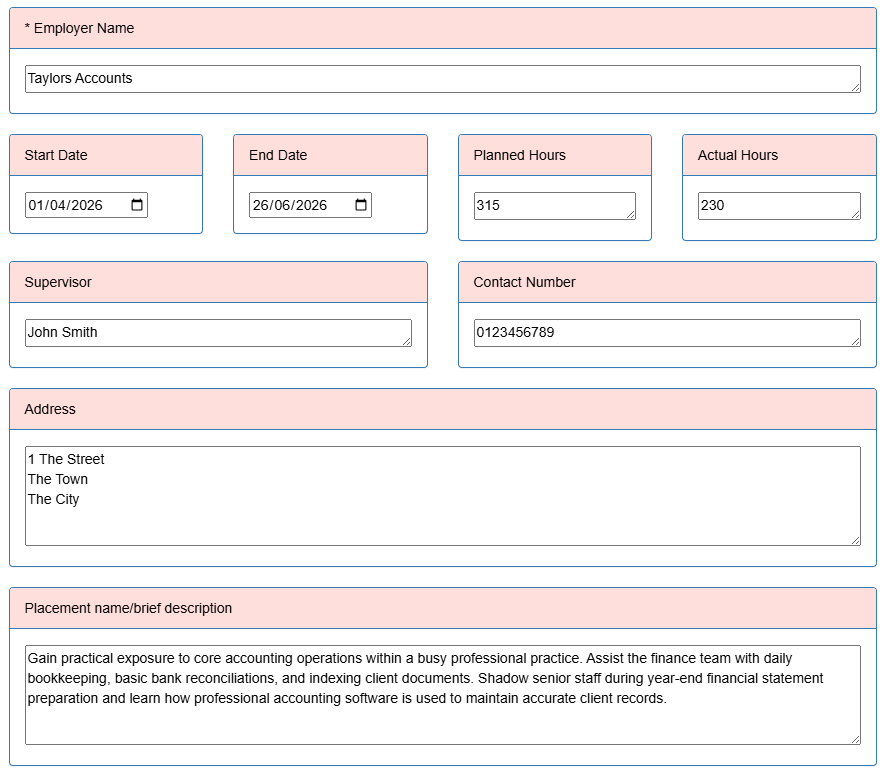
Information about the work experience organisation - employer name, start and end dates, planned and actual hours, supervisor name, contact number, address, placement description, etc
About the Placement
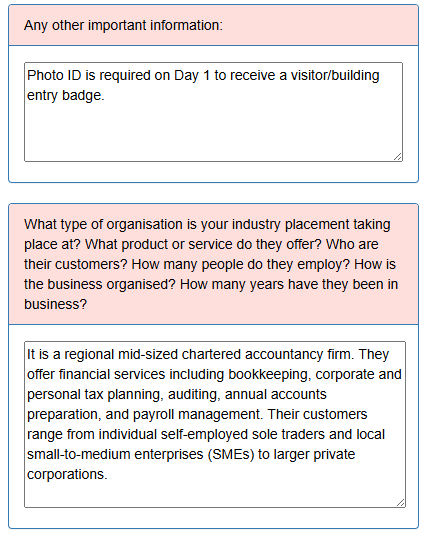
A section to discuss the organisation and role e.g. working hours, travel arrangements, dress code, equipment, etc. Also allows the student to reflect upon the role e.g. What is the role and what are your responsibilities? What do you expect to be doing day-to-day? How will you contribute to the success of the organisation?
Employability Skills Pre Placement
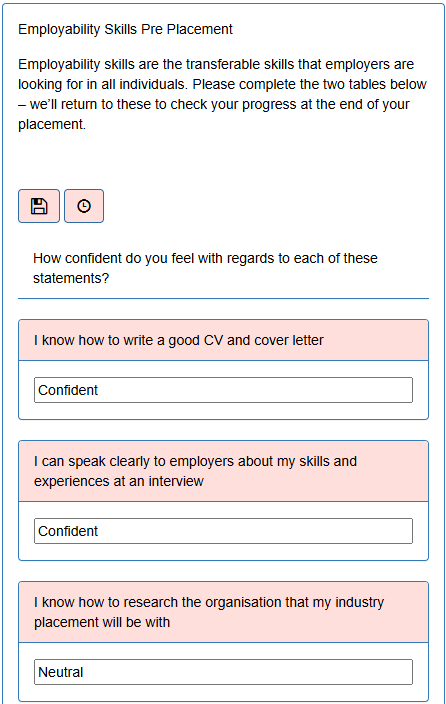
Gives the student a questionnaire to look at their employability skills before the placement so that they can see how these have changed after their placement e.g. I know how to write a good CV and cover letter or I am good at communicating my thoughts and ideas in a way that is easy for others to understand.
Objective Setting
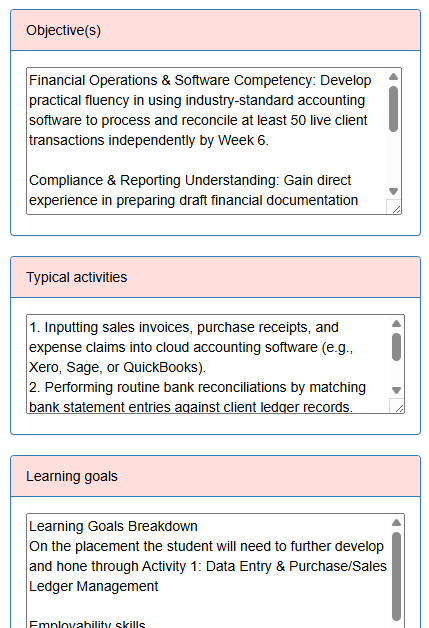
Set objectives agreed between the student, the college and employer. This can involve setting objectives, typical activities, learning goals, hours, working patterns, minimum starting requirements and suggested prior learning.
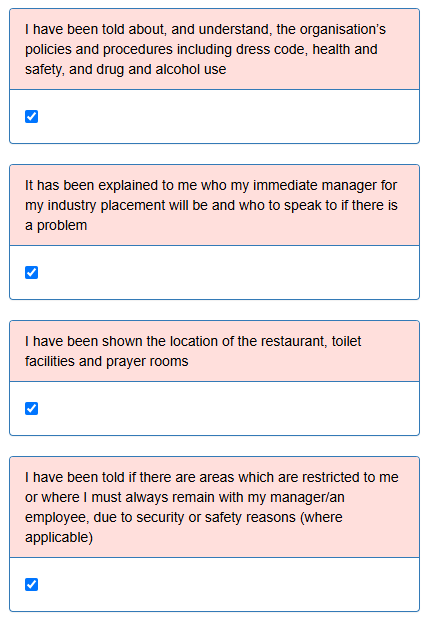
Induction Checklist
An induction checklist the student can populate to ensure the employer has told the student about their policies and procedures e.g. I have been given an overview of the organisation and the work it does, including the products / services it provides, the industry it is in, its size and structure and whether it has a national or international focus.
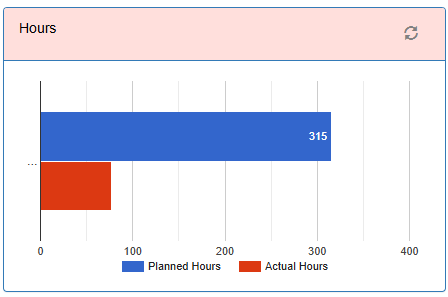
Hours
The ability to see on a graph how many planned hours and actual hours from the timesheet have been completed
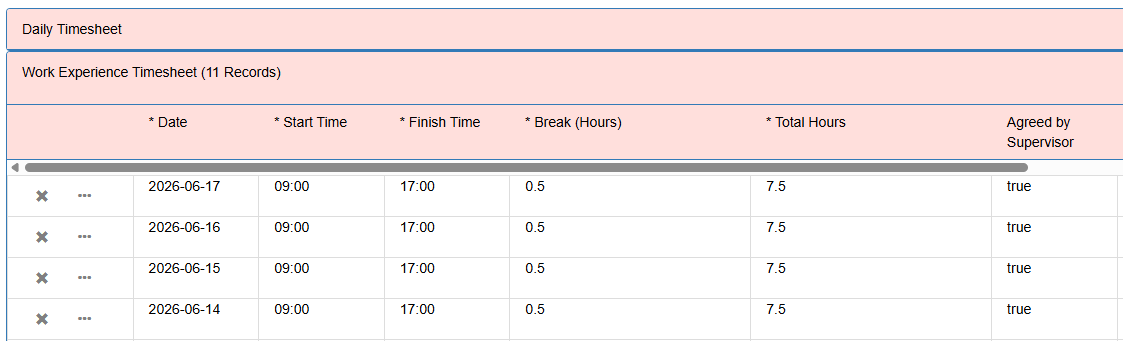
Timesheet
Students can fill in a timesheet each day with the date, start and end time and hours. This can be agreed by the employer if they log into the system.
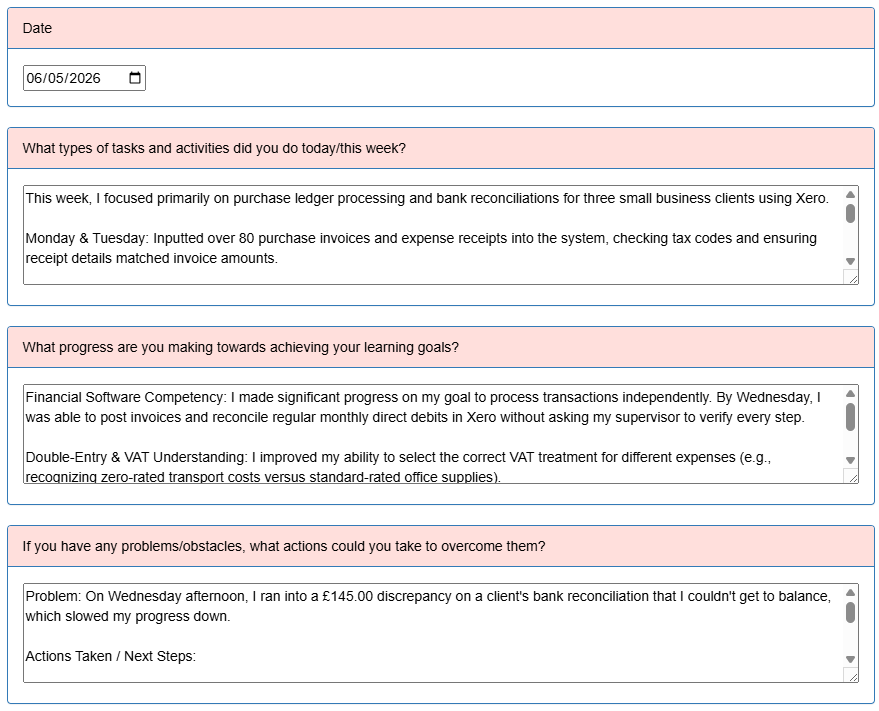
Student Diary
Diary for the student to periodically keep track and reflect on their learning and development during the placement, record specific progress towards learning goals etc. This could include ‘What types of tasks and activities did you do today/this week’ or ‘What progress are you making towards achieving your learning goals’
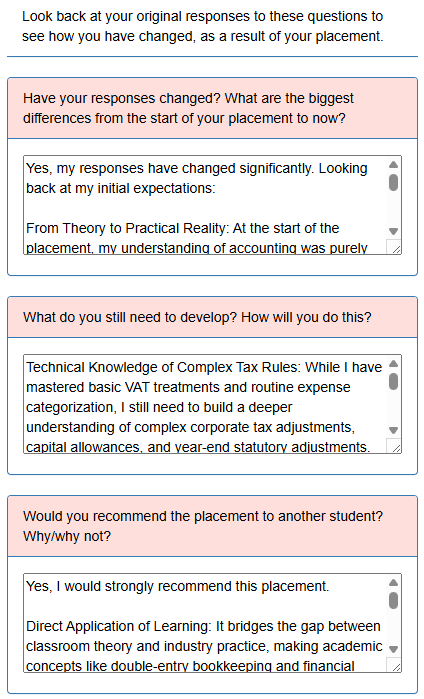
Employability Skills Post Placement
Gives the student a questionnaire to look at their employability skills after the placement so that they can see how these have changed from before their placement e.g. I know how to write a good CV and cover letter or I am good at communicating my thoughts and ideas in a way that is easy for others to understand.
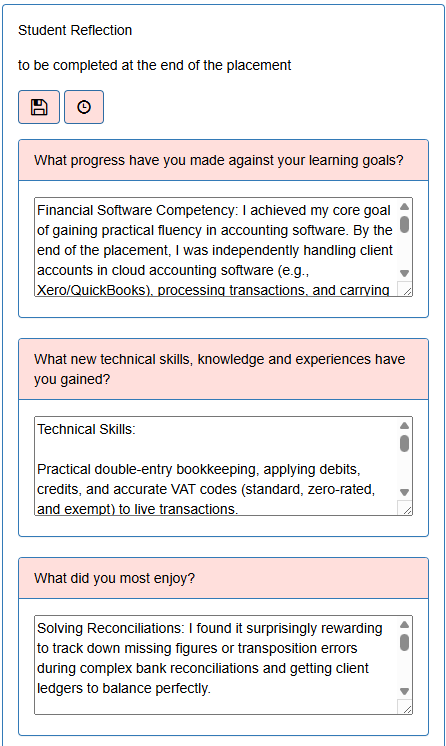
Student Reflection
Completed by the student after the placement to reflect on progress made towards learning goals, technical skills and knowledge gained, what they enjoyed, what they found difficult, what they will do next, etc
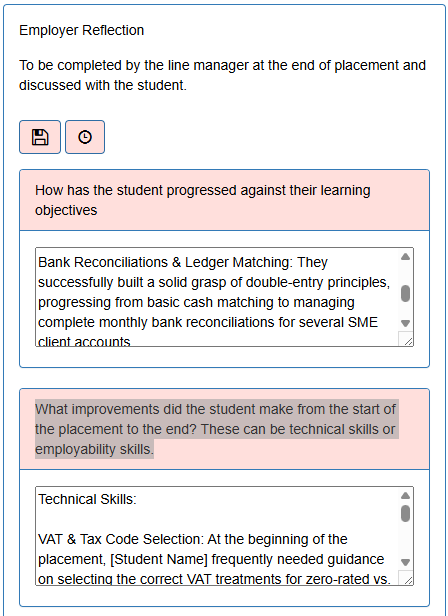
Employer Reflection
To be completed by the line manager at the end of placement and discussed with the student. E.g. ‘How has the student progressed against their learning objectives’ or ‘What improvements did the student make from the start of the placement to the end? These can be technical skills or employability skills.’
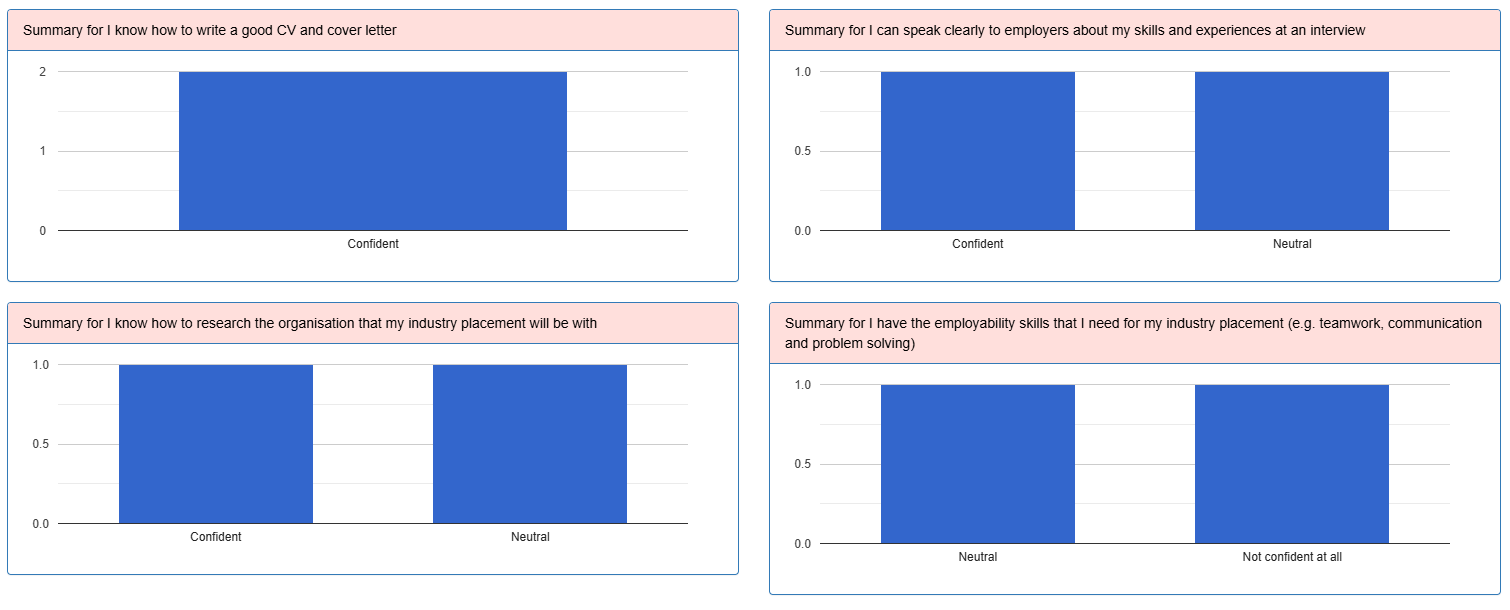
Reporting
The data entered can be analysed at different levels. By student, by course or college level. This allows all data to be viewed together, gaps to be identified and trends analysed.
Messaging
Messages can be sent via email, text or push notifications if using Notification Live. There are many use cases for this for example reminding the employer to sign the timesheet if overdue.
Grade Book
Grade Live allows T-Level grading. This can allow tutors to grade at the qualification level, component level e.g overall core component or occupational specialism, unit level or assessment level.

